
The download button is where a free voice tool has to earn its place.
By that point, you may have chosen a narrator, rewritten an awkward sentence, and adjusted the opening to fit your video. Finding a payment screen now means starting over somewhere else. The alternative can be just as frustrating: the recording plays inside an app, but there is no MP3 to put on your phone.
If you are searching for text to speech free download options, that final file is probably the reason you started. You want narration for a presentation, something to listen to on a walk, or a voiceover that does not involve recording yourself in a noisy room.
My priorities here are practical: how much preparation a tool requires, how expensive mistakes become within a free allowance, and how easily the recording moves into the next part of the job. A huge voice catalog means little when correcting one paragraph turns into an evening of work.
The Part of a Voiceover That a Good Demo Cannot Show You
The second draft matters more than the first preview
Consider a ninety-second tutorial. The screen recording is finished, but the narration says “open Settings” before the cursor reaches the menu. Later, an abbreviation is pronounced as a word. The voice itself might be pleasant; the recording still needs work.
This is the situation I use to frame a useful comparison. Can you repair the affected section without rebuilding everything? Does another attempt consume an allowance you were saving for the rest of the script? Will you remember the voice settings when the tutorial changes next week?
The same questions apply to study audio. A PDF may look clean while containing repeated headers, footnotes, and broken lines. Once spoken aloud, those small formatting problems become interruptions every few sentences.
A worthwhile text to speech free download workflow leaves room for these ordinary imperfections. Nobody should need a perfect script on the first attempt.
Download the sample before committing to the voice
Start with the paragraph most likely to cause trouble. Include the name, date, or technical expression that actually appears in your work. Then save the audio and open it in its destination.
For a video, that means the timeline. For revision notes, it means your phone’s audio player. This reveals whether the file is usable before you become attached to the narrator.
I give that small handoff more weight than a polished homepage sample. You are choosing a tool for your material, your device, and your deadline.
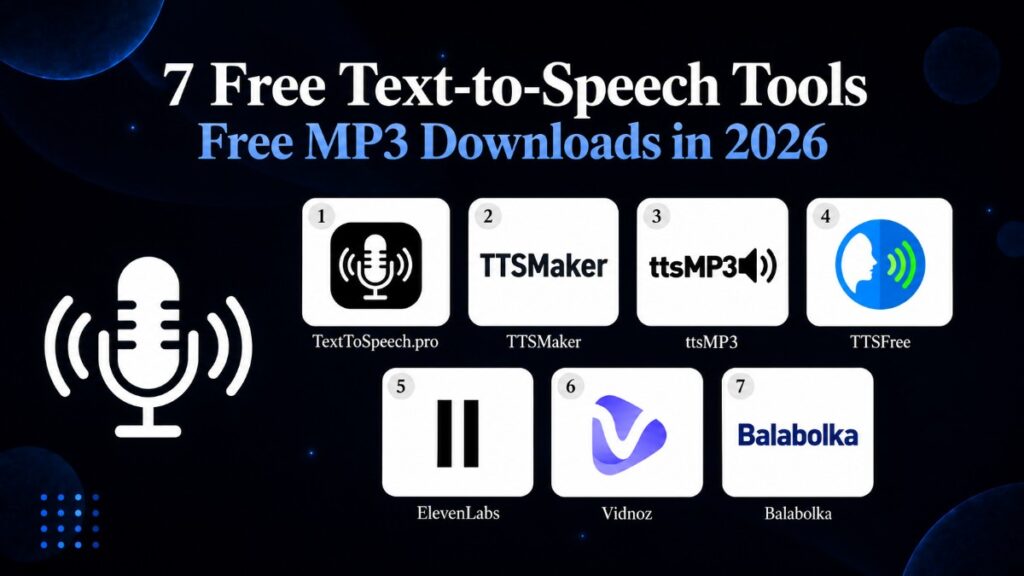
The Seven Tools, Viewed Through the Work They Help You Finish
1. TextToSpeech.pro: For Getting a Short Script into Your Edit
A quick voiceover should not require reorganizing your whole project. If the script lives in a document and the footage is already in an editor, the missing piece is simply an audio file.
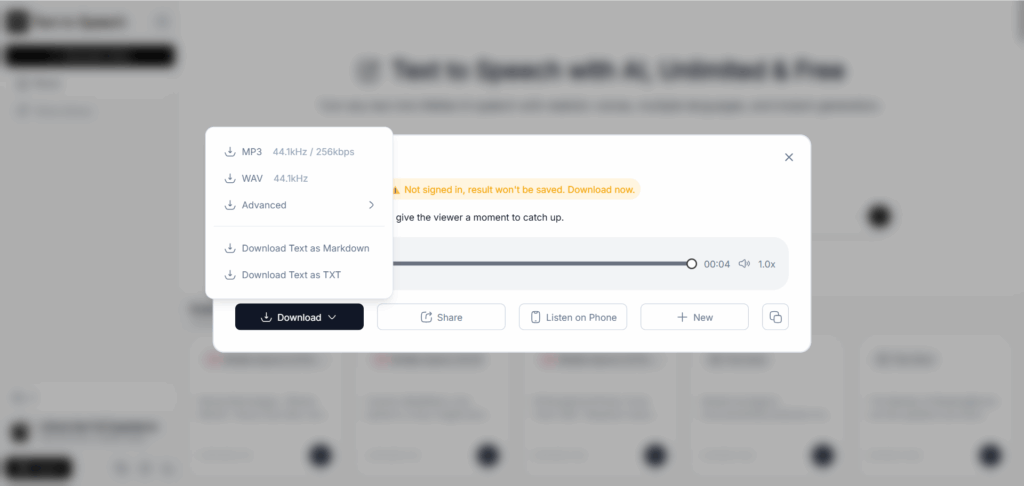
TextToSpeech.pro fits that arrangement. It runs in the browser, requires no signup to begin, and offers MP3 downloads. The editor accepts up to 5,000 characters at a time, giving a short narration more breathing room than a tool limited to a few sentences.
Its strongest argument is convenience. You can focus on one passage, generate it, and move the result into the edit. For someone seeking a text to speech free download without another account, that is a sensible place to start.
The limitation appears as the project grows. A longer script needs sections, and you still have to keep those sections organized. Save the voice choice and speed beside the text. A filename such as “02-demo-revised” is considerably more useful tomorrow than another “download.mp3.”
My recommendation is to use it for a clearly defined deliverable: an introduction, a short explainer, or slide narration. For a weekly series with several speakers, project organization deserves as much attention as generation.
2. TTSMaker: For Preparing Several Recordings in One Sitting
Teachers and course creators rarely work in neat daily quotas. The free afternoon is when the recordings need to happen.
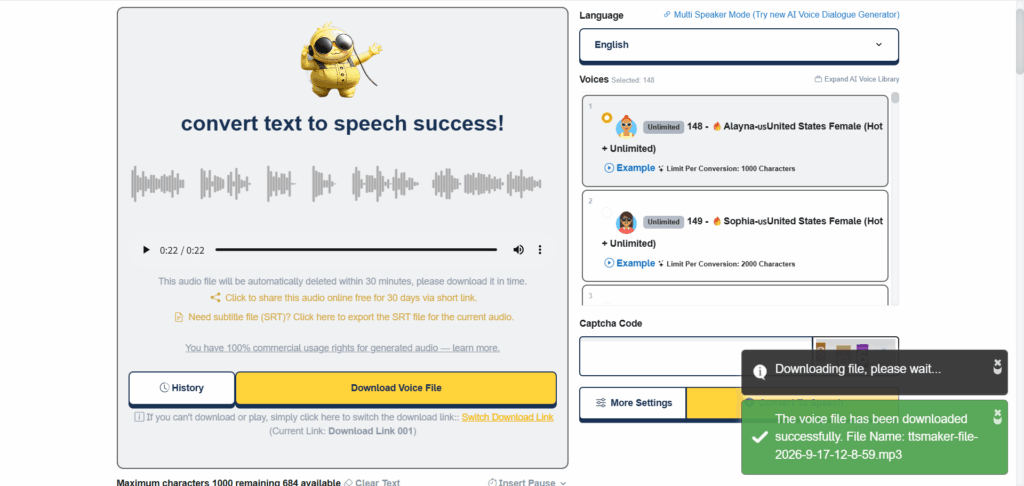
TTSMaker’s standard allowance of 20,000 characters per week suits that pattern. Selected voices do not count toward the weekly allowance, and free downloads are available. Commercial use is also permitted under its terms, which makes the tool relevant beyond private listening.
The practical catch is that a weekly allowance and a single-request limit are separate things. A batch of lesson scripts may fit your overall budget while each script still needs dividing. Check the input limit attached to the selected voice before preparing your sections.
For a text to speech free download session involving several lessons, I would organize the scripts by slide or topic first. That way, a correction to lesson three does not disturb the rest of the folder.
There is also a reason to save as you go: generated files are scheduled for deletion after thirty minutes. An interruption during preparation can otherwise cost you a usable take.
TTSMaker makes sense when you value a workable weekly allowance and can accommodate CAPTCHA steps and batching. The payoff depends on keeping the session organized.
3. ttsMP3: For Instructions That Need Room to Breathe
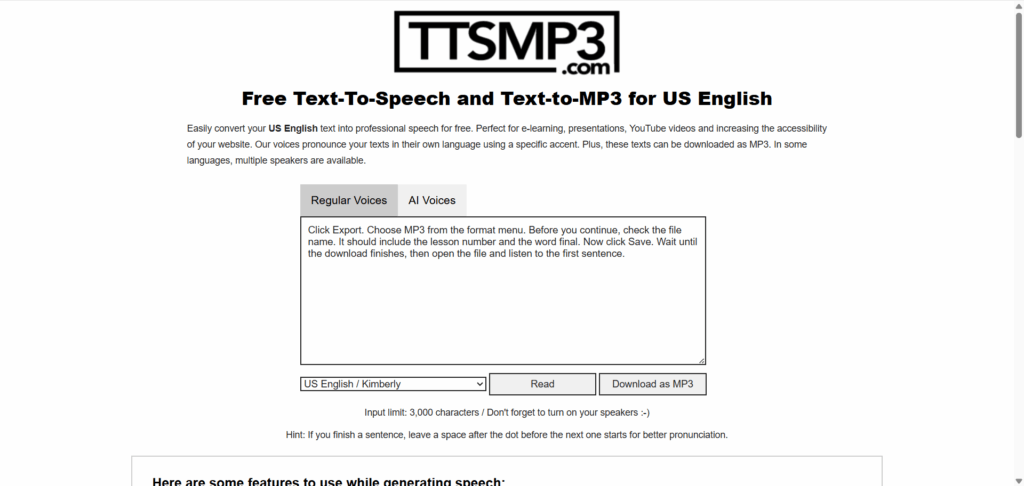
“Click Export. Choose MP3. Save the file.”
On paper, that looks clear. Spoken without enough space between the actions, it can leave a beginner two steps behind.
ttsMP3 is interesting here because its regular-voice workflow supports markup for pauses and other speech adjustments. You can give an instruction room to land instead of trying to fix every gap after export. MP3 downloads are part of the basic workflow.
The regular-voice allowance is roughly 3,000 characters per day. That is useful for short instructions, but it makes casual experimentation costly. Trying the complete script in several voices can use the budget before the wording is settled.
My approach would be to settle the narrator with a short sample, then work on timing. Add one pause where the viewer needs to act. Listen again. Only change the speaking rate if the whole passage needs it.
For a brief text to speech free download task, those small controls may be more valuable than a larger voice menu. Once the assignment becomes a long tutorial, however, the daily allowance starts determining when you can finish. That is the point to reconsider the tool.
4. TTSFree: For the Small Recording You Need Right Now
Sometimes the task is barely a paragraph: a revised opening slide, a spoken reminder, or a short pronunciation exercise.
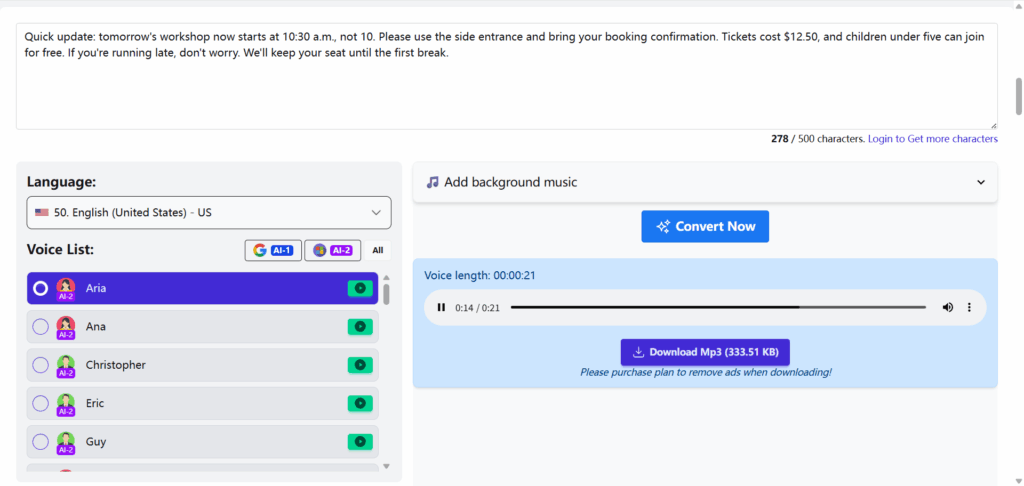
TTSFree allows generation without an account and provides MP3 downloads. Its unsigned editor displays a 500-character limit. That puts a clear boundary around its most convenient use: small, self-contained recordings.
The temptation is to squeeze a larger job through the free box piece by piece. I would resist that for anything substantial. A dozen exports mean a dozen filenames, several joins, and more opportunities to miss or repeat a sentence. A free text to speech MP3 download can become expensive in editing time.
For a short message, the limitation is much less troublesome. Keep the wording focused and generate the complete thought together.
If you are replacing a line inside existing narration, matching the voice matters. A different speaker inserted halfway through a paragraph can draw more attention than the original mistake. When a match is impossible, a complete replacement paragraph gives you a more natural transition.
TTSFree also offers background-music options. For video work, I prefer keeping the narration separate so its volume and timing remain adjustable in the final edit.
5. ElevenLabs: For Exploring Delivery Before Committing to Production
A story introduction and a software instruction ask different things of a narrator. One needs to establish a mood; the other needs to make an action unmistakable.
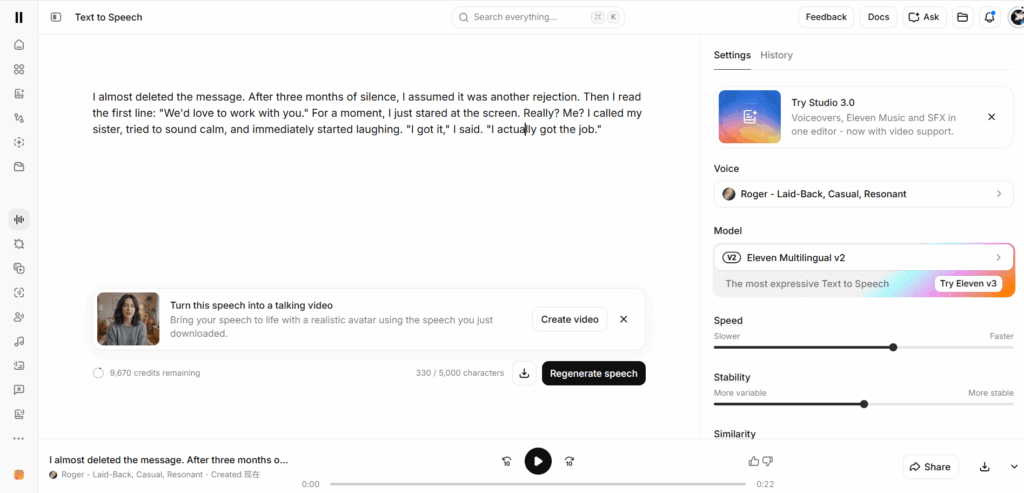
ElevenLabs deserves consideration when exploring delivery is central to the project. Its free plan includes 10,000 monthly credits, and generated speech can be downloaded. The model affects credit consumption, so that figure should not be treated as a fixed number of finished minutes.
Here, script discipline matters. If a passage needs to feel quieter, begin with the relevant few lines. Regenerating an entire scene for one change can consume the allowance faster than expected.
The larger boundary is publication. Free-plan output does not include commercial rights, and non-commercial publication carries an attribution requirement. A recording you can save for personal use may therefore be unsuitable for the monetized video you intended to make.
That distinction is why I would not call ElevenLabs the automatic winner of a text to speech free download comparison. It offers a useful free route for personal projects and auditions, but the right choice depends on what happens afterward.
Choose the publishing route early. Discovering a licensing mismatch after completing the edit is another way to end up starting again.
6. Vidnoz: For Finding a Voice That Fits Another Audience
Localization has a timing problem as well as a language problem. An instruction that fits comfortably in English may run past the scene in another language. Raising the speed can make it harder to understand.
Vidnoz brings a broad selection of languages and voices into one place. Free MP3 downloads require signup. Its public description gives a 2,000-character per-conversion limit, although the allowance and controls available in the current account should guide your session.
For this type of work, I would start with the busiest scene: the one containing a product name, an instruction, and a short pause for the viewer. It reveals more than an uncomplicated greeting.
Have a fluent speaker review the resulting audio before generating the rest. A convincing voice can make an awkward translation sound superficially polished without making it natural.
Vidnoz is worth considering when a text to speech free download needs to serve a specific language or accent and creating an account is acceptable. Keep the evaluation focused on the downloadable narration; features elsewhere in the video platform may have different restrictions.
The useful outcome is a voice that fits the audience and the scene, rather than simply the largest number of available voices.
7. Balabolka: For Reading Material That Outgrows Browser Text Boxes
A chapter of reading is a different workload from a video introduction. When you have documents to convert every week, copying small sections into a website becomes part of the problem.
Balabolka takes the desktop route on Windows. It can read documents, use compatible installed speech voices, and save audio files. With a local voice, you are not working against a cloud character allowance. Pronunciation substitutions and reading-rate adjustments are available too.
The important qualification is the voice engine. Installing Balabolka does not automatically provide a premium narrator. What you hear depends on the compatible voices available on your computer.
For personal study, that tradeoff may be perfectly acceptable. Reliable access to a whole document can matter more than dramatic delivery.
Preparation still counts. Repeated page headers, broken words, and footnotes need attention before a document becomes comfortable listening material. Work through one representative chapter first; there is little value in producing hours of audio with the same avoidable interruption.
Among these text to speech free download options, Balabolka suits repeat document conversion more than an occasional mobile task. The initial setup is extra work, but it can replace a great deal of repetitive copying later.
Where a Free Recording Usually Needs More Work
Repair the sentence before blaming the narrator
Consider the line “The Q3 update goes live on 09/10.”
There are several ways to read it, and the intended date may depend on the audience. Writing out “third-quarter update” and the month removes ambiguity before the voice has to interpret it.
The same principle applies to overloaded sentences. If the narration needs three breaths and two changes of emphasis to explain one action, rewriting may help more than adjusting speed.
I would also avoid polishing isolated lines indefinitely. Play the whole paragraph. A sentence that sounds perfect alone can arrive too abruptly after the previous one.
This is where a text to speech free download becomes useful production material: the words have been prepared for a listener, and the recording has been heard in context.
Leave enough allowance for the correction you cannot predict
A script can be approved and still change. Someone spots the wrong date, a menu label moves, or the closing call to action needs another sentence.
Keep some of the free allowance available for that last correction. Generate in meaningful sections and retain the text used for each export. Otherwise, repairing ten seconds may require reconstructing settings and wording from memory.
For private listening, playback speed can sometimes solve a pacing preference without another generation. For a video, hear the narration against the picture before deciding what to change.
And save a usable take before experimenting further. A slightly imperfect recording you can return to is better than discovering that the next attempt used the last available credits.
Conclusion
For a short script that needs to become an MP3 with minimal setup, TextToSpeech.pro is a sensible first stop. TTSMaker is more interesting when several recordings need to be prepared in one sitting. ttsMP3 offers useful timing controls for brief instructions, while TTSFree suits compact messages.
ElevenLabs warrants attention for personal narration and voice exploration, with its publication restrictions understood. Vidnoz makes more sense when language choice drives the decision. For repeated document conversion on Windows, Balabolka addresses a workload that small browser text boxes make unnecessarily awkward.
The best text to speech free download tool is the one you can still work with after the first draft changes.
Take the difficult paragraph, save the file, and put it where the finished recording belongs. That small exercise tells you far more than another hour spent listening to perfect demo scripts.