
You paste a script into a voice generator, choose a voice, and press play. The opening sounds convincing. Then a name gets mispronounced, a pause lands in the wrong place, or the download button reveals a restriction you did not notice earlier.
That is where choosing the best text to speech tool becomes less about impressive demos and more about getting something finished.
For a quick text-to-audio task, start with Text to Speech or NoteGPT. If you need expressive narration and more creative control, consider ElevenLabs or Murf AI. NaturalReader and Speechify belong on your shortlist for listening to documents, while Maestra makes more sense when voiceovers sit alongside translation and subtitles.
The right choice depends on what happens after you generate the first sentence: listening, downloading, editing, or publishing.
Which Text to Speech Tool Fits Your Workflow?
The best text to speech tool for a student working through readings may be a frustrating choice for someone producing a video. A reading app needs to preserve your place and handle documents sensibly. A voiceover tool needs to help you correct a line without rebuilding the entire recording.
Think about your next actual task. Perhaps you want to hear tomorrow’s presentation before delivering it. Perhaps you have an article to finish during your commute. Or perhaps a client needs a revised narration before lunch.
Each situation changes what matters most.
For occasional conversions, simplicity deserves more weight than an enormous voice library. For recurring production, editing controls become valuable. For long listening sessions, navigation and reliable text handling can matter more than a dramatic voice.
The best text to speech comparison starts with your material, your listening habits, and the output you need.
Compare 7 Free and Paid Text to Speech Tools
Use this table to narrow your shortlist. Free access, export permissions, and paid allowances can differ between features, so check the specific workflow you intend to use.
| Tool | Workflow to consider it for | What deserves attention before committing |
| Text to Speech | Turning pasted text into downloadable audio | Free versus premium voices, input limits, and download access |
| NoteGPT | Converting notes, summaries, and scripts into audio | Current character limits and which features require payment |
| ElevenLabs | Expressive narration and character-driven projects | Regeneration costs, model choice, and voice consistency |
| NaturalReader | Listening to documents and study materials | PDF handling and the distinction between personal and commercial use |
| Speechify | Listening to written content throughout the day | Reading accuracy at your preferred speed and subscription value |
| Murf AI | Editing voiceovers for presentations and videos | Export access, production controls, and generation allowances |
| Maestra | Combining voiceovers with multilingual content work | Which services and processing allowances your plan includes |
The best text to speech option is not necessarily the one with the longest feature list. It is the one whose restrictions and editing process fit the job.
A Closer Look at Each Text to Speech Tool
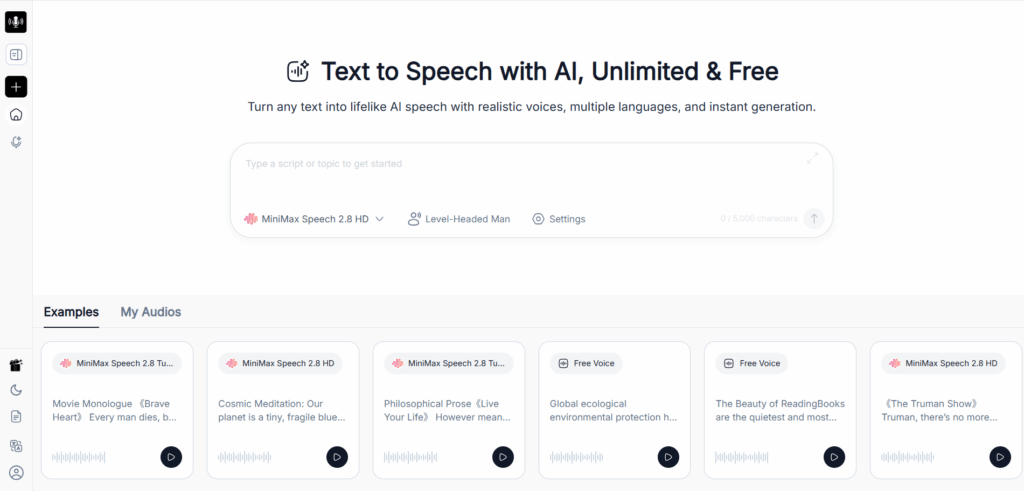
1. Text to Speech: For Quick, Occasional Audio Tasks
Sometimes I just need to turn a paragraph into audio and move on. A short narration, a few study notes, or a script I want to hear before recording—these small jobs don’t need a full production studio.
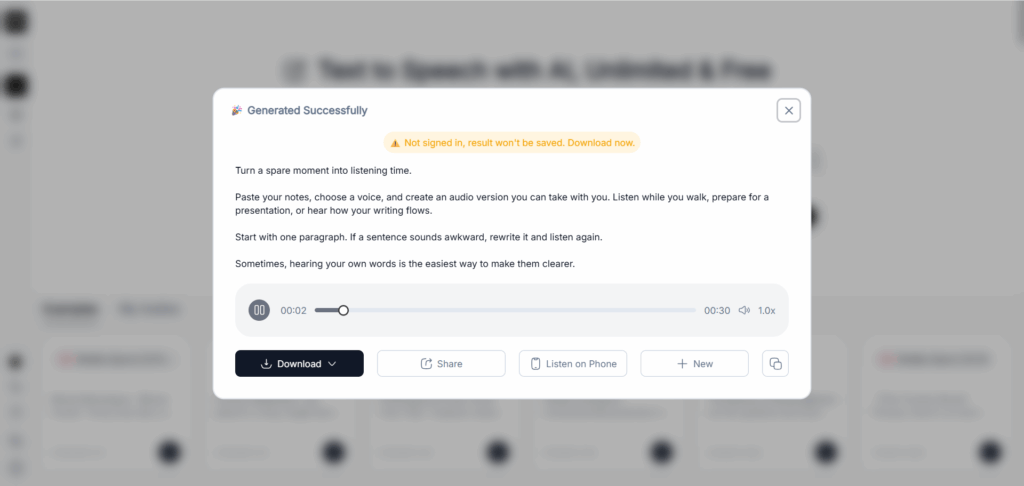
Text to Speech fits that routine well. In my experience, I could generate audio once without signing in and download the result for free. The process felt similar to Luvvoice: paste the text, pick a voice, and get something usable without much setup.
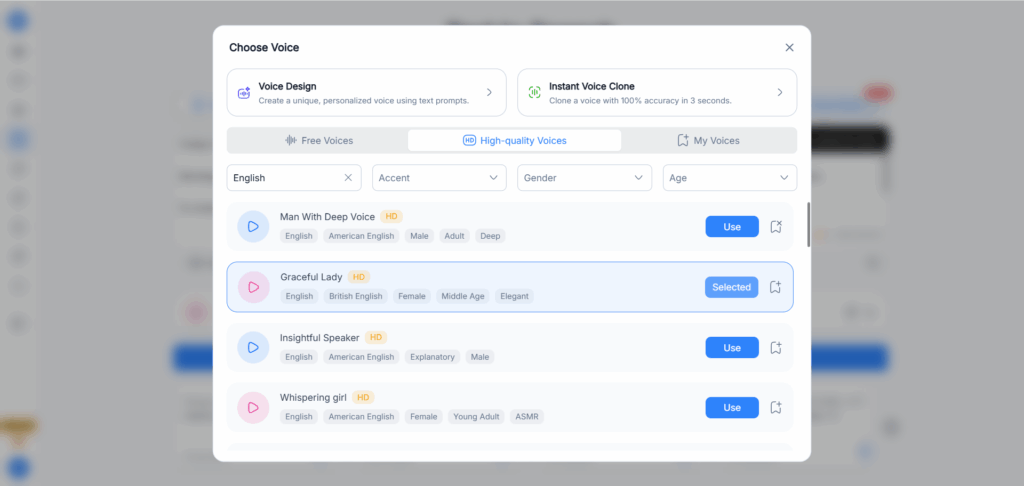
What I particularly liked was the variety of languages, dialects, and voices. Having those choices makes it easier to find a delivery that suits the material, especially when the default accent isn’t quite right. For occasional TTS tasks, that combination of choice and convenience is a real advantage.
The feature I missed was voice cloning. When I wanted the audio to sound like me or a particular speaker, choosing from the existing voices wasn’t enough. It’s a limitation worth considering if you need a consistent personal voice across your content.
For me, Text to Speech earns a place among the best text to speech options for quick, everyday conversions. The appeal is simple: I can get in, generate the audio, and download it with very little friction.
2. NoteGPT: For Turning Written Material into Listening Material
NoteGPT is worth considering when audio is one stage in a broader learning or content workflow.
You might finish a summary, clean up your notes, and turn that text into something you can replay while walking. The best text to speech experience here should reduce the effort between preparing material and listening to it.
Published experiences include generating short news passages and using particular voices to listen to fan fiction. Those are useful examples because they reveal different priorities. A short-news user notices speed and clarity; a fiction listener cares about longer inputs, comfortable voices, and easy downloads.
Free limits deserve particular attention. Earlier accounts describing generous allowances do not necessarily reflect what a new user receives today. Changes to long-text access have also frustrated people who had built a routine around it.
For short passages, NoteGPT is a reasonable candidate to try. Before feeding it an entire chapter, check the current allowance and export process. The best text to speech tool for an established routine needs predictable boundaries as well as pleasant audio.
3. ElevenLabs: For Expressive Narration That Needs Creative Attention
ElevenLabs is a natural candidate when the delivery matters as much as the words.
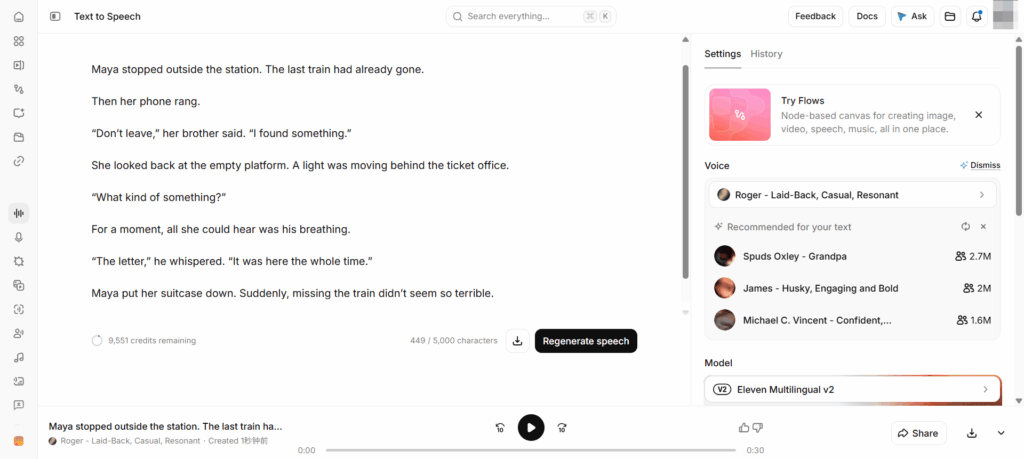
Character dialogue, storytelling, and emotionally varied narration ask more from a voice than reading a notice. Here, the best text to speech output needs pacing and expression that support the script.
The complication arrives when a convincing short sample becomes a longer production. User discussions describe projects where individual passages sound good, but voices change character between sections or require repeated attempts to achieve the intended delivery.
That does not mean every project will run into these problems. It does mean a long script deserves a careful workflow.
Start with a representative scene. Include dialogue, names, transitions, and quieter passages. Once you find a suitable voice and model, keep those choices consistent and work in manageable sections.
Budget for corrections, too. A generation allowance is not automatically the same as a finished-audio allowance.
ElevenLabs may be the best text to speech fit for expressive work if you are willing to direct, review, and refine the performance. Expect production decisions, rather than a completely unattended process.
4. NaturalReader: For Documents You Actually Need to Finish
NaturalReader makes sense when the goal is consuming information rather than producing a performance.
Think of an unfinished report, revision notes, or a book without an audiobook edition. The best text to speech tool for that situation should help you continue reading when your eyes need a break.
Listening can make those materials easier to fit into a day. Replaying notes also gives you another way to revisit information without reading everything aloud yourself.
The difficult part is often the document, not the voice. PDFs may contain headers, footnotes, columns, and sentences divided across pages. A pleasant narrator cannot compensate for missing text or confusing reading order.
Try several pages from the actual document before committing to a long session. Include a page break and any unusual formatting. If the output becomes confusing, a cleaned text version may be more useful than repeatedly changing voices.
Also distinguish personal listening from commercial audio production. The best text to speech subscription for studying is not automatically the appropriate license for a published voiceover.
5. Speechify: For Making Listening Part of Your Day
Speechify is worth considering when listening is a recurring habit rather than an occasional export.
The question becomes whether it makes articles, documents, and other written material easier to get through while you move between tasks.
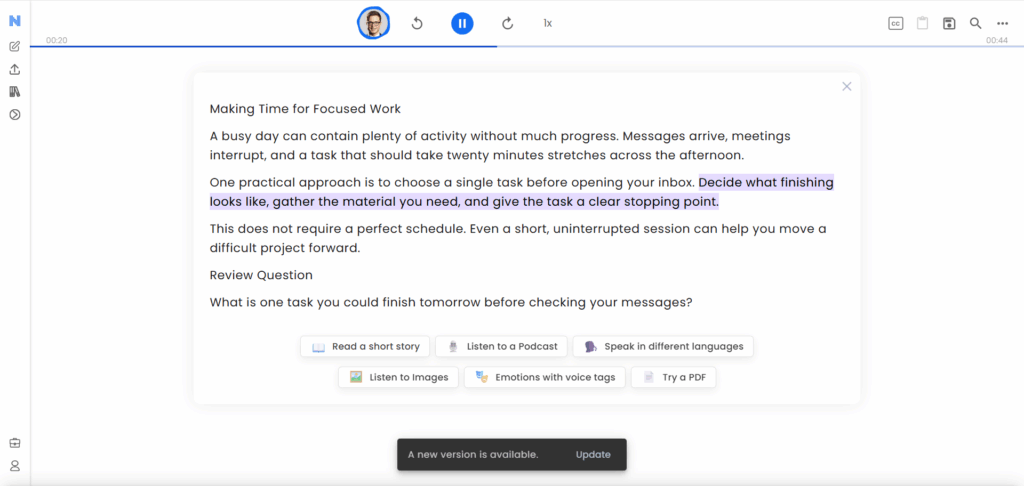
Some listeners value the voices and the ability to increase playback speed while retaining clarity. Others report that skipped words or awkward phrasing interrupt comprehension. Both experiences point toward the same test: use your own material at your normal listening speed.
The best text to speech demo is not always the slow, polished sample on a landing page. It may be a dense article playing at the pace you use during a commute.
Choose a voice you can comfortably hear for twenty minutes. A theatrical delivery can be appealing at first and distracting later.
Subscription value depends on frequency. If you only listen to a webpage occasionally, a built-in reader may be sufficient. Speechify becomes a stronger best text to speech candidate when its convenience earns a place in your daily routine.
6. Murf AI: For Voiceovers You Expect to Edit
A first draft rarely survives a real presentation or video project unchanged.
A sentence runs too long. A product name needs different emphasis. Someone replaces the closing line after the visuals are already arranged.
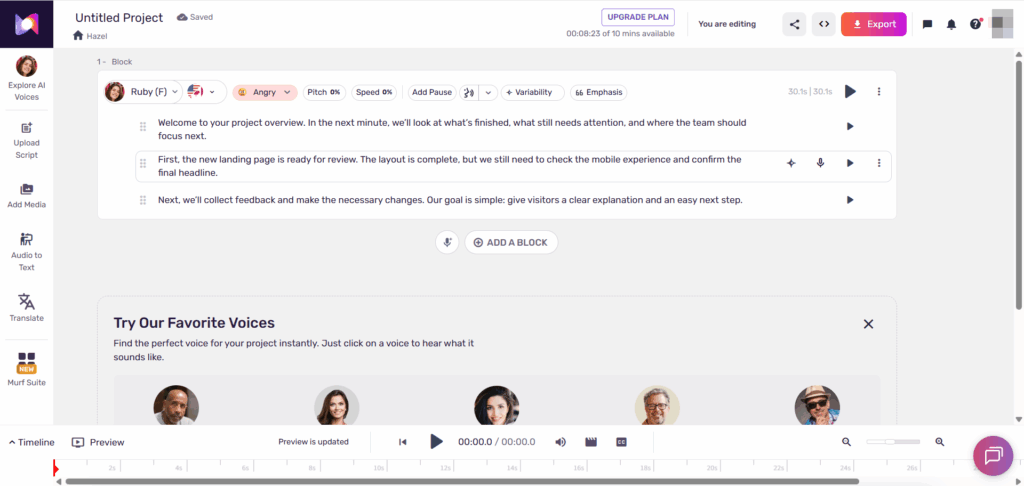
Murf AI is worth evaluating when those revisions are normal. Its production-oriented workflow and controls for delivery make it relevant to presentations, training material, and video narration.
For this kind of work, the best text to speech tool should make correction manageable. Being able to work with individual sections matters more than generating an impressive opening once.
Published hands-on accounts describe adjusting pauses, pronunciation, and emphasis, as well as using recorded delivery to guide how a line should sound. Such controls still require listening and judgment; they do not guarantee the desired result immediately.
Before paying, check the export conditions and generation allowance. A trial that lets you audition voices may not let you complete the full production workflow.
Murf is a best text to speech contender when you need to shape audio around a project, especially if revisions are inevitable.
7. Maestra: For Voiceovers Within Multilingual Production
Maestra serves a different kind of problem: the voiceover may be only one part of getting content ready for another audience.
A video might need transcription, translated subtitles, and a new spoken track. Managing those steps together can matter more than having the quickest standalone text box.
The best text to speech choice for this workflow should be judged across the handoffs. Can you review the wording, correct terminology, and keep the translated narration useful alongside the visuals?
Do not assume positive transcription feedback proves voiceover quality. They are separate tasks. Public experiences discussing Maestra’s speech synthesis are also less substantial than the broader feedback about subtitles and transcription.
Start with a short, representative clip. Check names, translated phrasing, pacing, and the final export before expanding the project.
Pay attention to which services your plan includes. Maestra may be the best text to speech fit when multilingual production is the real requirement. For a single short English narration, evaluate whether the broader workflow adds anything you need.
How to Choose the Best Text to Speech Tool for Your Task
For reading, test continuity. Upload material with page breaks, headings, and difficult abbreviations. Listen long enough to notice whether navigating and resuming feel comfortable. A beautiful voice matters less if you keep losing your place.
For voiceovers, test revision. Generate a short script, change one sentence, and see how much work the correction creates. Can you keep the surrounding delivery consistent? Does the replacement fit the available time?
For longer narration, test endurance. A short sample will not reveal every consistency problem. Use a passage with several emotional changes and listen for shifts in voice, pacing, and pronunciation.
The best text to speech workflow also depends on your preparation. Expand ambiguous abbreviations, simplify tangled sentences, and decide how names should be spoken before generating a large batch.
Free plans are useful for exploration, but evaluate the whole task. Generating, downloading, and publishing are different steps. The best text to speech free option is one that supports the steps you actually need, within limits you understand.
Frequently Asked Questions
Which Text to Speech Tools Can I Use for Free?
Several tools on this list offer free access or trials, but the scope varies. You may receive limited characters, selected voices, restricted exports, or a temporary allowance.
To find the best text to speech free option for your task, try a complete small project, including the download.
Can I Download Text to Speech Audio as an MP3?
Many tools support audio export, but availability can depend on the product and plan. A reader designed for personal listening may handle downloads differently from a voiceover generator.
Check export access before converting a long document.
Can I Use AI Voices in Monetized Videos?
Check the relevant plan’s commercial-use terms. Access to a voice or a download button does not, by itself, establish permission for every publishing use.
Your script and any cloned voice also need appropriate permissions.
How Can I Fix Mispronunciations?
Start by expanding abbreviations and rewriting ambiguous wording. If the tool supports pronunciation controls, use them for names and specialist terms.
Generate the corrected sentence separately when possible, then listen to it in context. The best text to speech result often comes from a small, deliberate edit rather than another full regeneration.
Conclusion
The best text to speech tool is the one that helps you finish the task with the least friction. For a quick conversion, Text to Speech and NoteGPT are sensible starting points. NaturalReader and Speechify suit listening-focused routines, while ElevenLabs and Murf AI deserve consideration when you need to shape a narration. Maestra is worth exploring when voiceovers belong to a larger multilingual project.
Before committing, take one real piece of content through the entire process. Generate it, listen at your usual speed, correct an awkward line, and check the download. That small exercise tells you more than a polished voice sample.
If you already have a paragraph or script ready, try it in Text to Speech. Start small—the moment you hear your own words, you will have a clearer idea of what you need.